Mirrors in your home make Wi-Fi slow: how to avoid the problem.

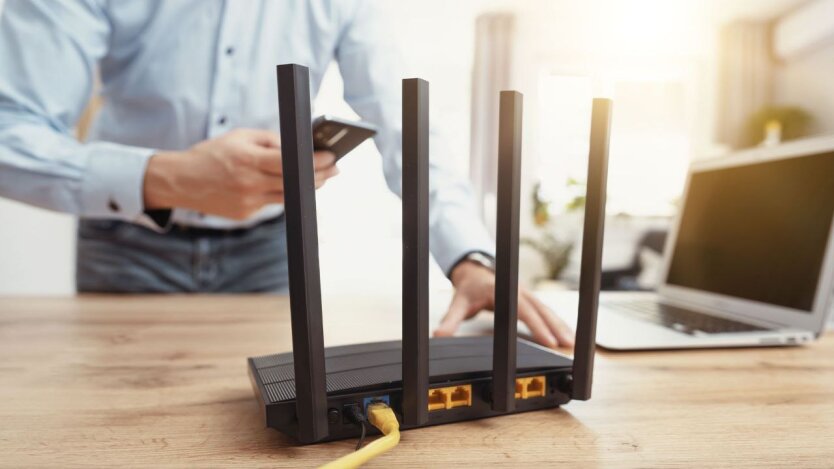
According to inkorr.com: In apartments and houses, slow Wi-Fi connections are often not related to poor network settings but caused by the incorrect position of the router. Experts from express.co.uk note that one of the little-known factors affecting signal quality is the presence of mirrors.
'In fact, there are many things that you should keep the router away from. Some of the obvious ones are Bluetooth devices and microwaves, as well as thick walls and corners. However, not many people know about mirrors,' the experts pointed out.
Routers transmit data using radio waves, and reflective surfaces can negatively impact their propagation. Even small mirrors can change the trajectory of the Wi-Fi signal, while large metal structures only exacerbate signal loss.
Router placement recommendations
Experts recommend avoiding placing the router near mirrors, on the floor, next to bulky furniture, or thick walls, as these obstacles can absorb or disperse the signal. It is especially important not to place the router in the kitchen, where microwaves and other devices create additional interference.
To improve the quality of Wi-Fi in your apartment or house, place the router far from mirrors and other reflective surfaces. The location of the router significantly affects the speed and stability of the Internet connection, so following the specialists' recommendations can help avoid communication problems.
Thus, the proper placement of the router can significantly affect the quality of your connection. Remember that small details, such as mirrors and wall-mounted items, can be the cause of internet speed issues. If you want to improve your connections, try changing the router's location – it can dramatically change your user experience.
Read also
- Facing Diesel Shortages, Russia Bans Exports and Turns to Imports for the First Time
- Kyrgyzstan Scrambles for Fuel as China and Belarus Step In to Replace Russia
- UDP Leadership Accused of Asset Theft: Losses Hit $7 Million
- Russia Faces Fuel Crisis: Putin Admits Shortages as Moscow Prepares to Import Petroleum Products
- Half a Million Bankruptcies in One Year: Russia’s Economy on the Brink of Collapse
- Defense Forces Strike Halts Key Russian Refineries: Fuel Shortage Expected to Hit 30,000 Tons