Hidden iPhone Features for Travel: 7 Useful Hacks.

According to The Sun: Your phone hides a multitude of secrets that can transform your next vacation.
I use my phone in various areas, but during travels, there are several handy tools and tricks that make trips easier and more enjoyable.
AlamyHere are my top tools for iPhone — from hidden features of well-known apps to lesser-known tricks.
Google Maps
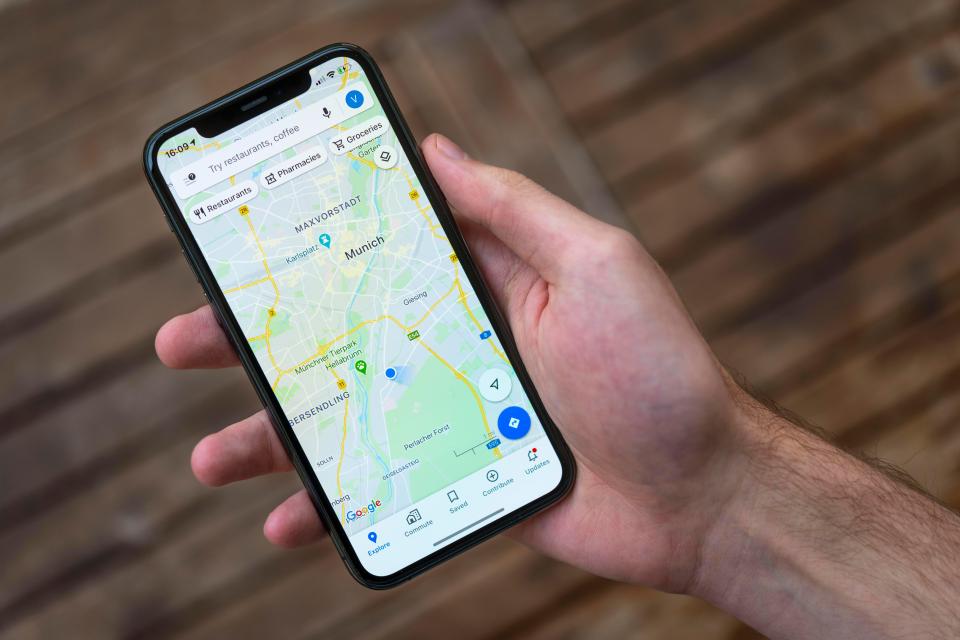
When it comes to various 'mapping services', people often have their preferences: whether it's the built-in Apple Maps app or Google Maps.
I prefer Google Maps for its travel convenience.
One of the useful features is the ability to use Google Maps as a search tool.
Just go into Google Maps and search for, say, 'what to do with friends nearby'.
A list of nearby places will appear for you to explore.
If a restaurant shows up in the list, you can view the menu of that establishment.
By scrolling down on the restaurant in Maps, you can see pictures of the menu and reviews of the most popular dishes.
If you want to book a restaurant, you can do it directly in the app.
At the top of the overview tab, there will be an option to 'book a table', just click on it, and you can make a reservation.
While you might already know about lists, you can also give them different names and emojis.
For example, I have several lists I keep updated, including 'Breakfast Spots' with a croissant icon and 'Must-Try Dishes' with a star emoji, because I always want to ensure if these places deserve their recognition.
Moreover, with lists, you can create collaborative categories.
Create a 'collective list', and everyone in the group can save their spots and see others saved by different participants.
To add some fun, you can vote for places using emojis to find out where your group wants to go the most.
Another great feature for traveling at airports is the 'directory' tab.
The SunI often mention this to my friends, as many don't even realize this option exists.
If you're looking for the airport you're flying to in Google Maps and select it, a 'directory' tab will appear at the top.
This tab displays all airport amenities, such as stores, lounges, and restaurants.
You can filter them by various criteria, such as food and drinks, ATMs, or even restrooms.
This tool has genuinely helped me during travels when I found myself in unfamiliar airports.
For example, when I was flying home from Tirana, I wondered if there were many options to grab a bite before the flight.
It turned out there were a few options, so I knew I didn't need to take a sandwich with me.
Conversions
Sean Keach, Chief Technology Officer of The Sun, said: “My favorite conversion trick on iPhone – swipe down on the home screen to bring up the built-in iPhone search panel, the one where you usually type to find an app.
 Currency conversions can be done in the Calculator appThe Sun
“If you type in foreign currency, like '112 USD', the system will automatically show the equivalent in your local currency.
“In my opinion, this is the fastest way to get currency conversion, as you won't need to use websites, apps, or browsers.”
This can also be done in the calculator app.
Just activate the calculator mode, typically located in the lower left corner of the screen, and switch to 'convert'.
Flight Updates
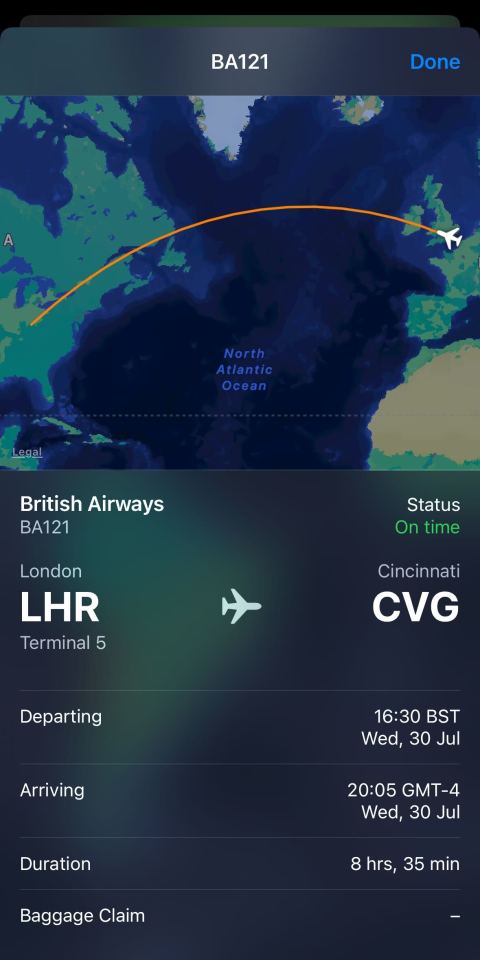
Another useful trick for iPhone users is getting flight updates easily and quickly.
You only need to know your flight number and the two-letter code of your airline.
For instance, if you are flying British Airways — this code is BA.
Let’s say you’re on flight 0121.
Just go to your messages app and type the text BA 0121, separating the airline code and flight number with a space.
The SunAfter sending, your iPhone will underline the text, converting it into a link.
Now click on the text and select 'view flight' to open a live map of the flight's current location and details such as airport, terminal, departure and arrival time, flight duration, and gate numbers.
If the gate has already been announced, you will also see baggage claim information.
I can’t count how many times I’ve used this function just by sending a text message.
As a frequent traveler, I find this the quickest and most convenient way to get the flight information I need, as well as to keep track of loved ones during their travels.
This saves time searching for information or visiting FlightRadar24 with the hassle of closing ads.
iPhone Camera
Many iPhone owners are unaware of what their camera is capable of.
Even though I’m trying to learn French and Spanish, I can’t know all the local dialects in every country I visit.
 The Sun
However, the ability to translate using the camera app has proven very useful.
Just open the camera app and point your phone at a sign, menu, or document.
A line icon will appear in the lower right corner.
Tap it, and a translate button will show up.
When you tap, an image with the translated text will appear.
This is very convenient for cases like signs or menus — you save time not having to type text into Google Translate.
This tool can also copy text.
If you're like me and find museums interesting but exhausting places to visit.
AlamyBut I'm also interested in exhibits that I might miss.
I point my camera at an information plaque and tap the screen to create a yellow frame.
Next, by tapping the button in the lower right corner, I can copy the text into my notes for later reading.
For content creators or those who want to combine two activities, there is the ability to take photos while recording video.
Just open the camera, switch to video mode, press the red button, and slide it to the right, then release.
A white circle will appear, which you can click to capture a frame while the video is being recorded.
Prices can also be converted using the camera.
Just point it at a price tag or menu, tap 'Live Text' in the lower right corner, and then on the price.
The system will automatically convert the price into your local currency.
Weather App
Previously, I didn’t find Apple's Weather app useful, often considering it too general.
But with new tricks, I’ve started using it actively during travels.
Open the weather app, and in the lower left corner, you'll see a map icon.
Click on it, and it will show you a detailed weather map highlighting various weather phenomena.
Even better, you can choose which type of weather to display.
For instance, if you want to know where it's raining, just select 'precipitation', and it will show you the movement of rain over the next 12 hours.
Different colors indicate different phenomena, with blue indicating light rain and yellow indicating heavy rain.
Notes App
I really enjoy taking notes, and using hashtags in the Notes app makes it even more convenient.
To create a tag, just start a new note and write a hashtag at the top.
For example, '#NewYorkFood'.
Then any note with this hashtag will appear in the tags section of your Notes app.
AlamySecurity
When traveling, it can be hard to assess the risk of pickpocketing.
Often you stroll around with your phone in hand, trying to find the information you need or take a photo.
To prevent malicious actors, activate airplane mode, which can make it impossible to track your phone, go to settings and scroll to 'Face ID and Passcode'.
Disable access to 'Control Center' so no one can turn on airplane mode without Face ID.
And in case your phone gets stolen, you can track it even when it’s off.
Just go to settings, tap your name, then 'Find My', and activate the 'Find My Network' toggle.
This feature will allow you to track your phone even if it is turned off.
New iOS 26
With autumn around the corner, Apple will soon release a new iOS update.
iOS 26 promises several new features that will be useful during travels, and I am looking forward to them.
First, visual intelligence will allow users to search for information and ask questions directly from the content on the iPhone's screen.
This means that if you see a photo of a place you’re interested in, but don’t know where it is - you can use visual intelligence to find it.
In messages, there will also be an option for 'real-time translation'.
And for Apple Maps users, the feature will analyze your regular routes and notify you of potential delays before you leave.
I'm particularly excited about the 'Visited Places' feature that remembers where you have been, so if you want to return to a favorite café, it’s easy.
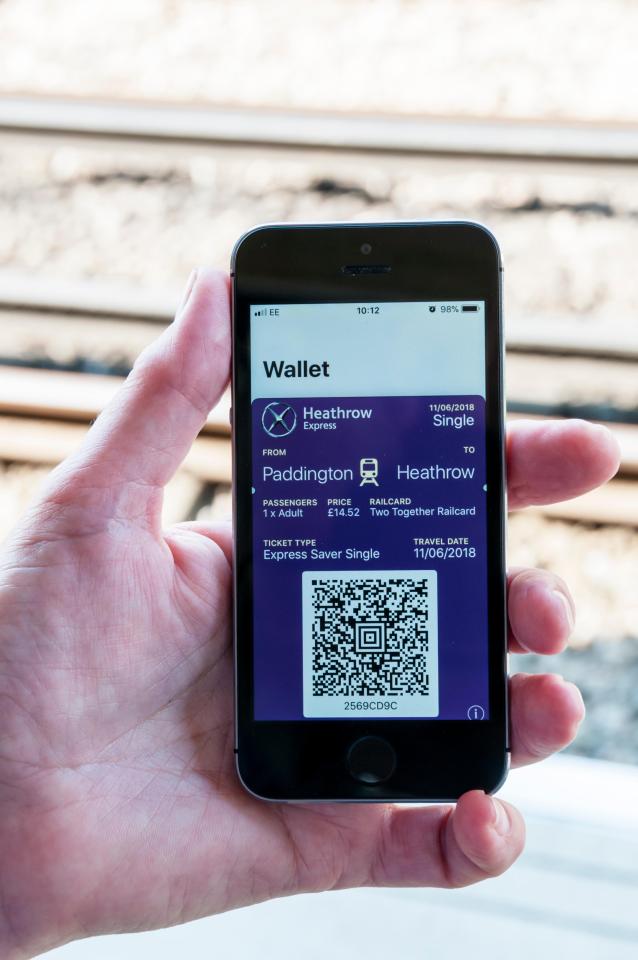
Apple Wallet will also become even more convenient, adding the ability to track your luggage, use airport maps, and share your flight status directly from the boarding pass.
Alamy Read also
- New Zealand's First Total Solar Eclipse Since 1163 Set for 2028
- Five Common Travel Mistakes, According to a Woman Who Has Visited 38 Countries
- A Ukrainian Shares Insights on Life in Bucharest: Traffic Troubles and Coffee Costs
- Famous Faces Who Vacationed on a $100 Million Private Island Near Rio
- Portugal Slaps Tourists with Fines Up to €4,000: Beach Football and Fishing Banned
- Why a Ukrainian Blogger Won't Leave California for Europe: A Personal Take on American Life