The letter 'N' in the smartphone status bar: what it means and how to turn it off.

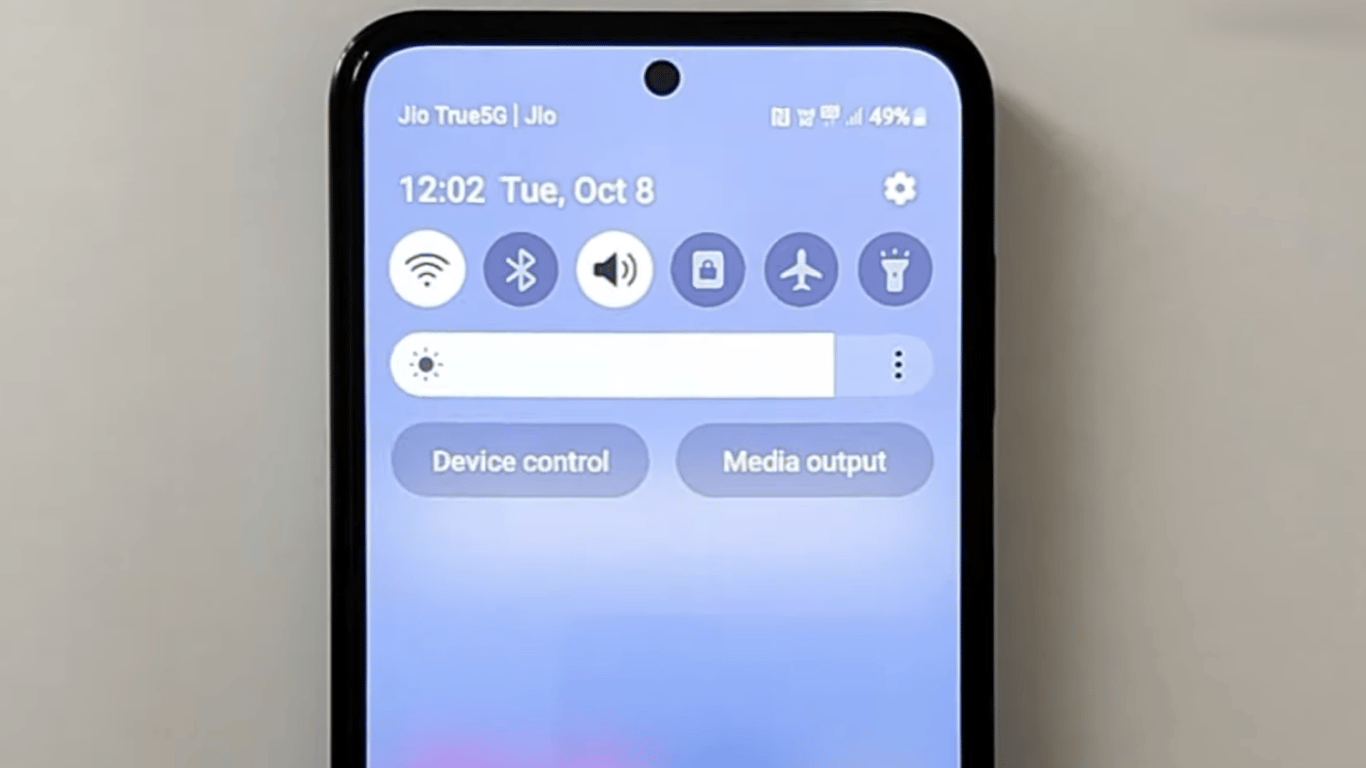
The meaning of the letter 'N' on smartphones
On some smartphones, you may notice that the letter 'N' appears next to the network and battery indicators. This means that the NFC (Near Field Communication) technology is enabled, which is often used for contactless transactions, including payments.
How to turn off the 'N' icon?
If you want to turn off NFC or hide the 'N' indicator, there are two ways:
- In the phone settings, go to the 'Connections and sharing' section, find 'NFC' and turn it off.
- If you only want to hide the 'N' icon in the status bar, go to the 'Notifications and quick settings' and turn off the indicator display.
It is important to note that not all smartphone models support the option to hide this symbol, so in some cases, it can only be removed by completely turning off NFC.
What is NFC and how to use it
NFC is a near-field communication technology that allows you to quickly and conveniently transmit data over short distances without the need for complex settings. It is not only for contactless payments but also for automating home processes and simplifying information exchange.
The NFC technology has become quite common in modern smartphones, allowing users to conveniently and quickly perform various contactless operations, from payments to data exchange. You can conveniently turn off or hide the 'N' indicator in the phone settings, but keep in mind that this option may be unavailable for some models of devices.
Read also
- Antique Musket Balls Repurposed Into Solar Cells with 94% Efficiency
- South Korea Patents a Silent Engine for Air Taxis
- 144 FPS at 4K: A Gamer Pairs an RTX 3090 and RTX 3050 for Stunning Performance
- Snapdragon 8 Elite Gen 5: Qualcomm’s New Chip Targets Sub-$600 Smartphones
- Samsung Unveils Three New Odyssey Gaming Monitors: Specs and Features Revealed
- Plastic Waste Converted into Jet Fuel: New Breakthrough by Chinese Researchers