Ukrainians have been explained how to log in to the PFU portal using a bank card.
22.05.2025
4998

Journalist
Shostal Oleksandr
22.05.2025
4998
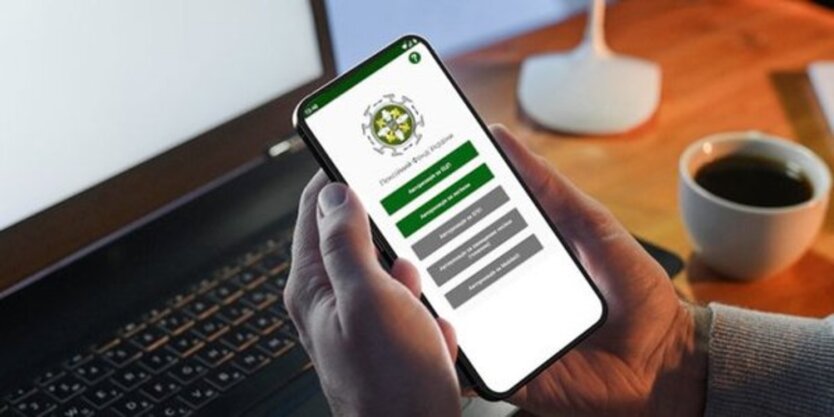
How to log in to the Pension Fund web portal using a bank card
The press service of the PFU has published information about the authorization procedure on the e-services web portal using the ID.GOV.UA bank card.
One of the authorization options involves using the ID.GOV.UA bank card, which is part of the integrated identification system.
After logging in to the portal via ID.GOV.UA, the user can receive the necessary electronic documents from the Pension Fund, learn about their pension dossier, insurance record, and salary, as well as view other useful information.
- Go to the PFU web portal - portal.pfu.gov.ua.
- Click the 'Login' button.
- Select ID.GOV.UA among the authorization methods and log in.
- Indicate your bank and card number.
- Enter the code that will be sent to your phone and click 'Confirm'.
- Verify your data and continue.
'Done! You have successfully logged into your personal account on the portal,' the PFU emphasized.
We remind you that it is important to know how foreign experience may affect the amount of pension in Ukraine.
Read also
- Wheat Prices Surge After Ukrainian Drones Halt Shipping in the Sea of Azov
- Over Half a Million Russians Declared Bankrupt as Economy Cracks Under Pressure
- Ukraine’s Inflation Trend Shifts: Fuel Costs Drop While Service Prices Climb
- Fear of a New Mobilization Wave Drives Russians to Mass-Buy Property Abroad
- Moscow Admits Fuel Shortage for First Time Amid Drone Strikes: Long Lines at Gas Stations and Crisis Affecting 50 Million Russians
- World Bank Disburses $3.35 Billion to Ukraine: Here’s How the Funds Will Be Used